Updated: October 31, 2026
Originally tested: Make October 31, 2026
Pricing checked on: October 31, 2026
Testing status: One measured Make free account, reused from our Make agent-cost test — the other four read from their published pages
Disclosure: Some links on this page are affiliate links. If you sign up through one, we may earn a commission at no extra cost to you. We are in the affiliate programmes of Make, Pabbly and Latenode. We are not in Zapier’s or n8n’s, so nothing on this page earns us anything when you click through to either of them.
An automation that watches a spreadsheet spends most of its life finding nothing. The row has not been added yet, the form has not been filled in, the invoice has not arrived. The workflow checks, finds nothing, and waits.
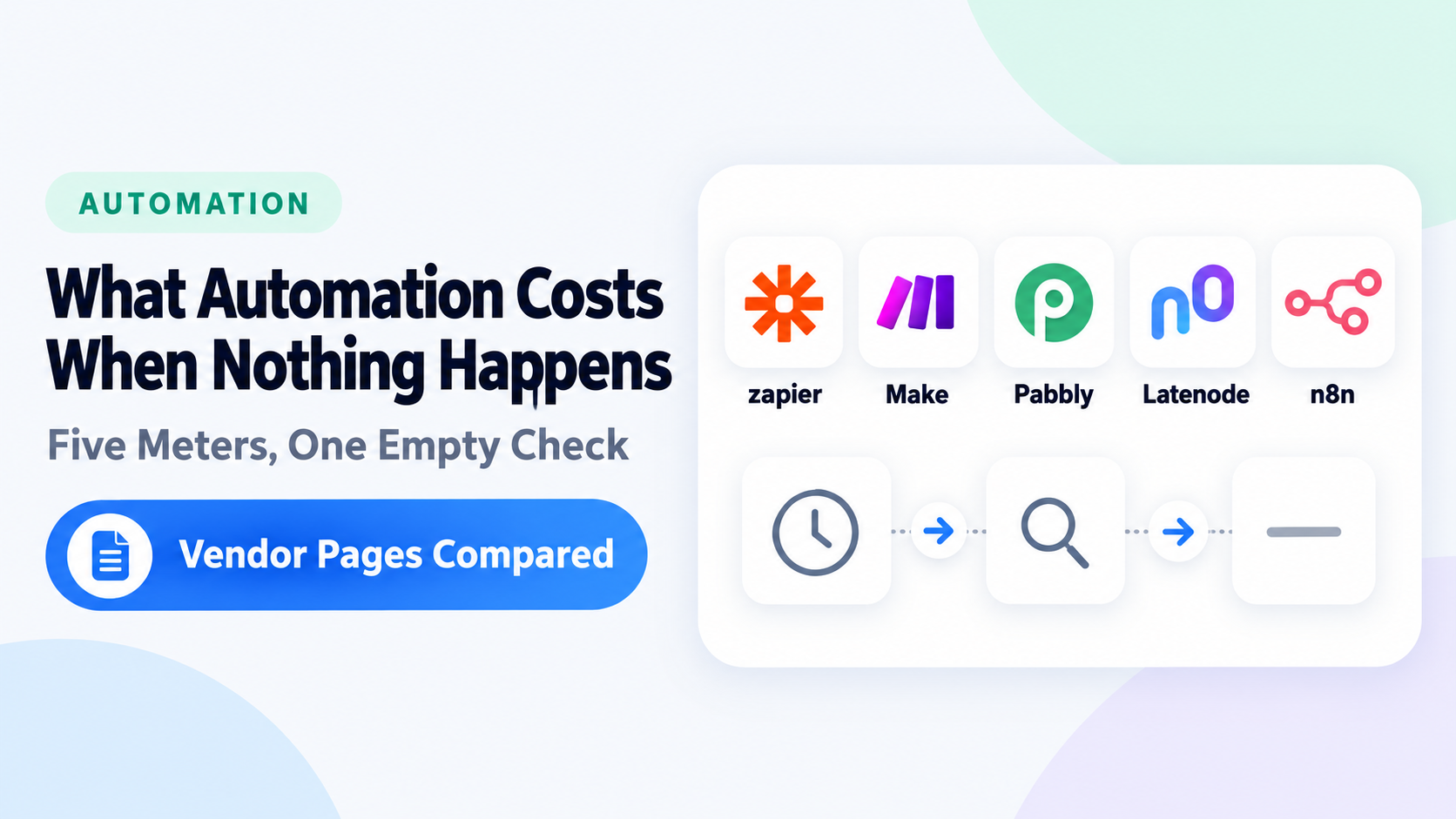
Make has a name for that: a check run. Whether a check run costs you anything decides whether a free plan survives the month, and on October 31, 2026 we read the current pages for five tools to find out. The answers are not the same — and on one of them, not even the same within the product.
Quick Answer
Make bills the empty check, and says so. Its credit documentation is explicit: Trigger modules use 1 credit per run, regardless of whether they return data. Even when a trigger finds no new data, it still uses 1 credit for checking. On our own free account, a single scenario on a 15-minute schedule logged one credit per check with nothing in the sheet — four an hour, 96 a day at that interval, against a monthly allowance of 1,000. The dashboard’s own Average daily usage read 89.
Zapier polls at the same fifteen minutes on its free plan and charges nothing for it. Zap triggers never use tasks… these polls never use tasks. Same cadence, same emptiness, 96 credits on one platform and zero tasks on the other.
n8n splits the answer three ways inside its own product. A Schedule Trigger counts an execution every time the node fires, regardless of outcome. A polling node counts only when new data is found. A webhook counts every inbound request that activates it, including requests with an empty body. Same tool, same month, three different answers depending on which node you put at the top.
The Same Question, Five Answers
| Tool | Does an empty check consume the meter? | In the vendor’s words |
|---|---|---|
| Make | Yes | Even when a trigger finds no new data, it still uses 1 credit for checking |
| Zapier | No, for the trigger poll | Polling triggers will poll an app or check for new trigger events at a regular interval, but these polls never use tasks |
| Pabbly Connect | Counted, not charged | …that is 288 operations in a day, whether or not there is any new data. However, Pabbly Connect does not charge for operations |
| Latenode | Not published | Unlike some other platforms, polling does not cost extra |
| n8n | Depends on the trigger | Schedule Trigger nodes: Count one execution every time the node fires, regardless of outcome |
This page is about the meter while nothing is happening. If you want to watch the same five tools build the same workflow, with the counters read at each step, that is Google Sheets to Gmail in five tools, which is also where the comparison of what a finished run costs lives.
n8n: Three Rules in One Product
n8n’s documentation has a section headed Execution count by trigger type, and it is the only one of the five that splits the rule that way.
Schedule Trigger nodes: Count one execution every time the node fires, regardless of outcome.
Polling nodes (like Google Drive Trigger): Count one execution only when new data is found. Polls that return no results don’t count as an execution.
Webhook Trigger nodes: Count one execution for every inbound request that activates the trigger. This includes requests with an empty body.
“Does polling cost anything?” has no answer on n8n until you say which node is at the top of your workflow. A Schedule Trigger running every fifteen minutes and finding nothing still spends an execution each time. A Google Drive Trigger in the same workflow, checking just as often, spends nothing until a file appears.
The split is now structural rather than editorial. A release on October 20, 2026 moved Schedule Trigger nodes onto what n8n calls a durable scheduler — pending runs are stored before they are due, so a restart no longer drops them and a run missed during downtime still fires within a grace period — while poll triggers and system tasks stay on their current schedulers. A scheduled fire missed during downtime is now recovered rather than lost; the counting rule itself did not change.
Two limits on reading this as a free-plan answer. The quota sentence begins Paid plans, whether cloud or self-hosted, have an execution limit quota, so these rules describe what you are buying rather than a free allowance being spent. And n8n Cloud has no permanently free plan, only a trial — the free route is the self-hosted Community Edition, which has no execution quota — if you can run it yourself.
Make: the Rule Is Written Down
Make does not leave this to be inferred from a definition. Its page on how features use credits says it in one line: Trigger modules use 1 credit per run, regardless of whether they return data. Even when a trigger finds no new data, it still uses 1 credit for checking. Its operations page gives the worked case — The Google Sheet > Watch New Rows module checks for new rows in a Google spreadsheet = 1 operation (one per check) — and its module documentation supplies the name: A scheduled scenario run that checks for new data in a service, but returns no data, is called a check run.
We watched it happen. On a free Make account on October 31, 2026, one scheduled scenario — a Google Sheet watched for new rows, feeding Gmail — logged rows at 9:00:52, 9:15:36, 9:30:35, 9:45:33 and 10:00:44, each one credit, each with zero data transferred. Nothing had been added to the sheet. Four checks an hour is 96 a day at that interval; the dashboard’s Average daily usage read 89. The free allowance is 1,000 a month. What happens when it runs out is a separate piece.
Fifteen minutes is the shortest interval schedule a free Make account can set, so this is the ceiling rather than an exotic configuration. We switched the scenario off the same day and the rows stopped.
If you want to see your own, you do not have to hunt for rows with no data transfer. Make’s scenario history has a control for exactly these runs: If you disable the check runs, the scenario history won’t display scheduled scenario runs that check for new data, but don’t return anything. Leave Hide check runs switched off, and they appear in the history as check runs.
Zapier and Pabbly: Two Different Kinds of Free
Zapier states it plainly: Zap triggers never use tasks. A Zap’s first step is always a trigger. Polling triggers will poll an app or check for new trigger events at a regular interval, but these polls never use tasks. Its worked example has a Zap polling Facebook every two minutes — five checks in ten minutes — with tasks charged only for the actions that run on found leads. And its free plan polls every fifteen minutes, the same interval we measured on Make.
The exemption has an edge one step down, and it is on this article’s topic. Zapier’s own table prints Search action set to proceed if nothing is found — 1 task against Search action set to not proceed if nothing is found — No tasks. The trigger that finds nothing is free; a search step inside the Zap that finds nothing can cost you, depending on how you configured it. The same page also lists trigger steps, Filter and Paths steps, editor testing, and steps that error or halt among what does not count.
Pabbly is doing something subtly different, and the difference is worth having. Its product page markets the exemption — Unlike Competitors, Triggers & Internal Steps are considered FREE TASKS in Pabbly Connect. Only action steps will consume your task count — and the grid badges All Triggers, Filter and the formatters as FREE, with Schedule listed among the free internal steps on its plan card. But the word “polling” never appears. What Pabbly exempts is the trigger, not the check as such.
Its own FAQ goes further than the marketing line, because it counts what it does not charge for: Every check made to an external application to see if there is any new data in a day is counted as an operation. So, if a check is made every 5 minutes, that is 288 operations in a day, whether or not there is any new data. However, Pabbly Connect does not charge for operations. Two meters, one billed. The free plan card lists Unlimited Operations.
One correction to Pabbly’s framing, since it names competitors. Against Make the comparison holds on the trigger: Make bills the check and Pabbly does not. On the other half it does not — Make’s own page lists Router modules, filters and Functions modules as having no credit cost, and Zapier exempts triggers, Filter and Paths in the same place Pabbly does.
Latenode: the One We Could Not Settle
Latenode describes two trigger modes, marked in the interface by icons: a lightning bolt for Instant, where the service pushes to a webhook, and a clock for Polling, where Latenode checks on a schedule. On polling it says Unlike some other platforms, polling does not cost extra.
That is a comparative claim, not a quantity, and the surrounding pages bracket the answer without closing it. Latenode meters in CPU seconds. Its documentation says CPU seconds are consumed during a scenario execution (from start to finish of the run). Its free plan sets a minimum charge of one CPU second per execution, and a trigger interval of ten minutes. Everything turns on one question the vendor does not answer: is a check that finds nothing a scenario execution? If it is, it costs the one-second floor. If it is not, it costs nothing.
We looked for that sentence across the pricing plans page and its twelve-question FAQ, the CPU-seconds FAQ, the billing page, usage statistics, execution history, platform limits, the changelog and Latenode’s own community announcements. It is not there. We have no counter reading of our own for an idle poll either, so the table above says “not published” rather than “no” — the kind of gap that would otherwise quietly flatter a tool we are paid to recommend.
Why You Cannot Rank These
Make counts credits, Zapier counts tasks, n8n counts executions, Latenode counts CPU seconds, and Pabbly counts tasks for billing and operations for the checks it declines to bill. The meters are defined differently, so a count in one is not a count in another, and an allowance in one cannot be ranked against an allowance in another.
Vendors do line them up anyway. Pabbly’s pricing page runs a slider at 10,000 Tasks Every Month and prices Zapier, Make and n8n Cloud against itself at that figure — an equivalence between tasks, credits and executions that none of the four defines. Treat it as marketing arithmetic rather than a conversion.
What you can do is answer the question for the workflow you actually have. Take the trigger you intend to use, find its rule on the vendor’s own page, and multiply by how often it will fire while nothing is happening. On Make that produced 96 a day from one scenario. On Zapier, at the same interval, zero. On n8n it is zero or everything, depending on a choice you make when you place the first node.
Who It’s For, and Who Should Skip It
If you are planning an always-on watcher on a free plan, the trigger type decides which meter moves. Zapier and Pabbly exempt the trigger outright. On n8n a webhook counts only when a request arrives, and a Schedule Trigger counts whether or not anything did. Make and Latenode do not publish an exemption for an idle instant trigger at all — Make’s rule is written per run, and Latenode’s is the gap above.
If you are already on Make and wondering where the month went, open the scenario history with check runs shown. Ours were arriving four times an hour, each costing a credit, with nothing in the sheet to find.
If you are comparing platforms on the headline allowance, stop. The allowance means nothing until you know what the meter counts — which for the AI side of the same question we put side by side in how automation tools charge for AI.
Sources
Every vendor page below was read on October 31, 2026. The Make measurement is from our own free account on the same day, taken while working on our Make AI agent run-cost test and reused here with its date and conditions stated.
- How features use credits (Make) — the trigger rule quoted above, and the list of modules with no credit cost.
- Operations (Make) — an operation as a module run that processes or checks for data, and the Watch New Rows example.
- Types of modules (Make) — the definition of a check run.
- Scenario history (Make) — the control that shows or hides check runs.
- Credits (Make) — by default one operation equals one credit; some features are tagged to use more or to bill dynamically.
- Make pricing — the free plan’s 1,000 credits a month and its 15-minute minimum interval. This page refuses automated requests, so it was read in a browser.
- How is task usage measured in Zapier? — the trigger exemption, the Facebook example, the search-action rows, and the list of steps that do not count.
- How Zap triggers work (Zapier) — the polling interval by plan, fifteen minutes on Free.
- Pabbly Connect — the free-tasks claim, the FREE badges on the grid, and the FAQ that counts operations without charging for them. The pricing URL redirects to this page.
- How Latenode works — the Instant and Polling trigger modes, and the statement that polling does not cost extra.
- Latenode pricing — the free plan’s CPU-second allowance and its ten-minute trigger interval. The URL redirects to the plans page.
- What are CPU seconds? (Latenode docs) — CPU seconds consumed during a scenario execution, and the one-second minimum billable execution on Free.
- Billing page (Latenode docs) — the Free plan table with its ten-minute trigger interval and one-CPU-second minimum charge per execution.
- Understand executions (n8n docs) — the trigger-type split, the empty-body clause, and the paid-plan scope of the quota.
- n8n changelog — the durable scheduler in release 2.45, and the note that poll triggers stayed where they were.
- Choose how to use n8n — the self-hosted Community Edition as the free route.
- n8n pricing — no permanently free cloud plan, and the self-hosted Community Edition.
- Open a free Make account — affiliate link. The vendor pages above are not.

Comments