Updated: September 22, 2026
Originally tested: September 2026
Pricing checked on: September 22, 2026
Testing status: Hands-on tested (14-day Max trial)
Disclosure: We may earn a commission if you sign up through some links on this page, at no additional cost to you. Affiliate relationships never affect our testing or recommendations.
beehiiv Review: Quick Verdict
beehiiv is a good fit for a freelancer whose newsletter is the thing they are building — not an add-on to a funnel, but the product itself. We created a public signup page, subscribed with an address we control, watched the subscriber turn Active, set a welcome email that reached Gmail, and wrote and sent a real newsletter issue that also arrived. None of it needed a second tool.
Two things to know before you start, and they are the reason this review is worth reading to the end.
First, we ran this on the Max trial, not the free Launch plan. We never paid. But a trial is not the free plan, and beehiiv’s own documentation is explicit that trial accounts carry Launch-plan limits and that unpaid accounts fall back to Launch when the trial ends.
Second, Automations are not part of the free plan. We built a “Signed up → Send email” workflow in the Automations section, but we did not activate or run it. The welcome email we actually received came from a different feature — beehiiv’s preset welcome email — which the documentation says is available on every plan, Launch included.
beehiiv at a Glance
| Item | Our take | Status |
|---|---|---|
| Best for | Freelancers and solo creators whose newsletter is the product | Editorial judgment |
| Plan we tested on | 14-day Max trial. No paid subscription. Not the free Launch plan | Hands-on tested |
| Signup page | We created one and subscribed through it with a test address | Hands-on tested |
| Signup step | A confirmation code was required before the subscription completed | Hands-on tested |
| Subscriber record | The test address appeared as Active in Subscribers | Hands-on tested |
| Welcome email | Set as a preset welcome email; received in Gmail | Hands-on tested |
| Automations | Workflow built. Not activated, not executed | Not tested |
| Newsletter send | One issue sent to two test addresses; both received in Gmail | Hands-on tested |
| Free plan (Launch) | Up to 2,500 subscribers, unlimited sends, custom domain, segmentation, analytics | Researched |
| Not on the free plan | Automations, ad network, paid subscriptions, referral program, A/B testing, branding removal | Researched |
| Paid entry point | Scale — $49/mo billed monthly, or $517/year | Researched |
What Is beehiiv?
beehiiv is a newsletter platform. You write posts, people subscribe through a page it hosts, and beehiiv sends the issues and keeps the subscriber list.
That description sounds like any email tool, so it is worth saying what it is not. It is not a funnel builder with email attached, and it is not a general-purpose marketing automation platform. The unit it organises everything around is a publication — the newsletter itself, with its own signup page, its own subscriber list, and its own archive.
For a freelancer, that shape decides whether beehiiv fits. If the list exists so you can sell a service or a course you built elsewhere, you are fighting the tool’s assumptions. If people subscribe because they want to read what you write, you are working with them.
What We Tested
We wanted to answer one question: can a freelancer go from nothing to a working newsletter — a public signup page, a subscriber, an automatic first email, and a real issue in someone’s inbox — inside beehiiv alone?
Our test environment. We ran everything on a 14-day Max trial. We did not subscribe to a paid plan at any point. During the test beehiiv’s own banner read “Your free trial expires in 13 days.”
This matters more than it might sound, and beehiiv’s documentation makes the reason explicit: “Trial accounts are also subject to the respective limits of the Launch plan”, and “If you choose not to upgrade to a paid plan when your trial ends, your account will remain on the free Launch Plan.” So a trial account sits in an unusual place — paid features unlocked, free-plan limits applied. We flag throughout which of the two we are describing.
What this test covers: creating a public signup page, subscribing through it with an address we control, checking the subscriber record, configuring a welcome email and confirming receipt, building an automation workflow, and writing and sending one newsletter to two test addresses.
What it does not cover: running an Automation (we built one but never activated it), deliverability at any meaningful volume, open and click rates, monetisation, the referral programme, A/B testing, segmentation in practice, migrating an existing list, long-term reliability, or support quality. Where those come up below, we say plainly that we are reading beehiiv’s documentation rather than reporting our own use.
Creating a Signup Page
We created a public signup page for the publication and opened it as a visitor would.
The page is the front door to the newsletter rather than a step in a sequence. There is no funnel wrapped around it and nothing to point it at — the publication already exists, and the page collects addresses for it.
For a freelancer starting a list, that is one fewer decision at the point where most people stall. You are not choosing where the signup leads before you have written anything.
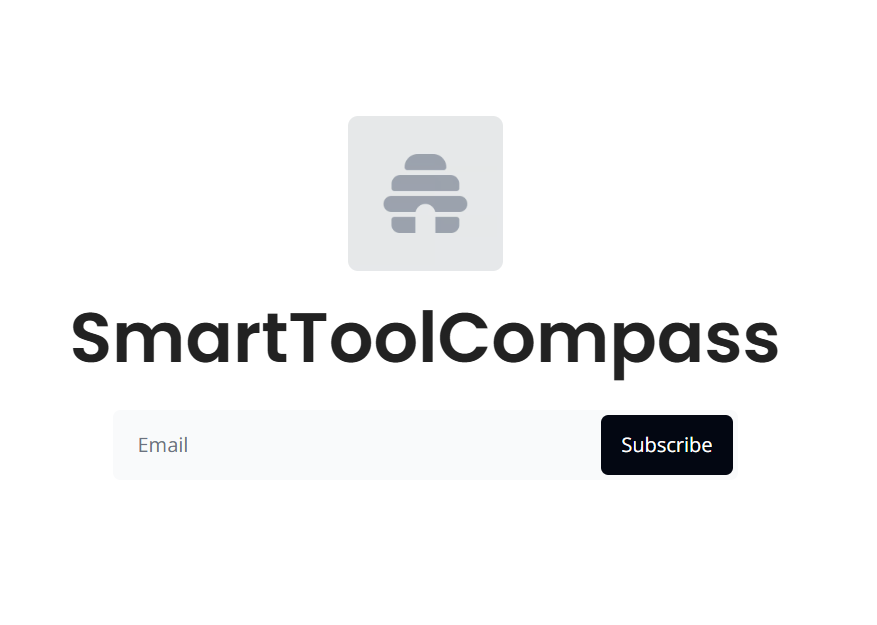
What we published: the signup page beehiiv generates, on a beehiiv address, with only the design changes publishing required, and not embedded anywhere else.
Managing Subscribers
We submitted the form with a test address we control. beehiiv asked for a confirmation code before the subscription completed. Once we entered it, the address appeared in the Subscribers list with an Active status.
That confirmation step is worth weighing rather than dismissing. It puts one more action between a reader and your list — we ran one signup during this test. It also means every address that completes the flow has been confirmed by someone with access to that inbox, which is the kind of list you want when deliverability starts to matter.
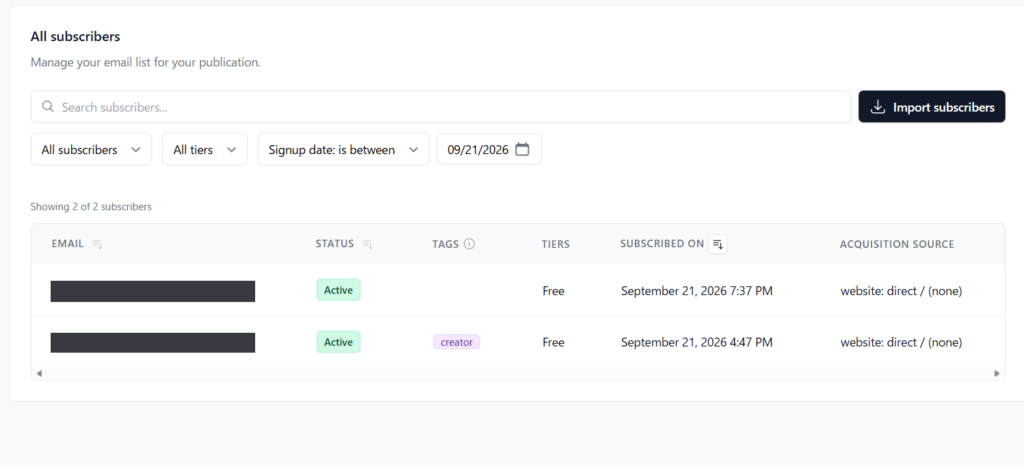
What this does not establish: we added one subscriber. Nothing here tells you how beehiiv handles a list of thousands, how its segmentation performs in practice, or how an import from another platform behaves. beehiiv’s pricing page lists segmentation as included on Launch; we did not use it.
Setting Up a Welcome Email
A signup page that collects addresses and sends nothing back is half a setup. We configured the welcome email under Settings → Emails → Preset emails, wrote the message, and switched it on.
There is no trigger to choose and no action to configure. The trigger is fixed — someone subscribes, this email goes out. Compared with building the same thing as a rule in a general-purpose automation tool, it is less to set up and less to get wrong.
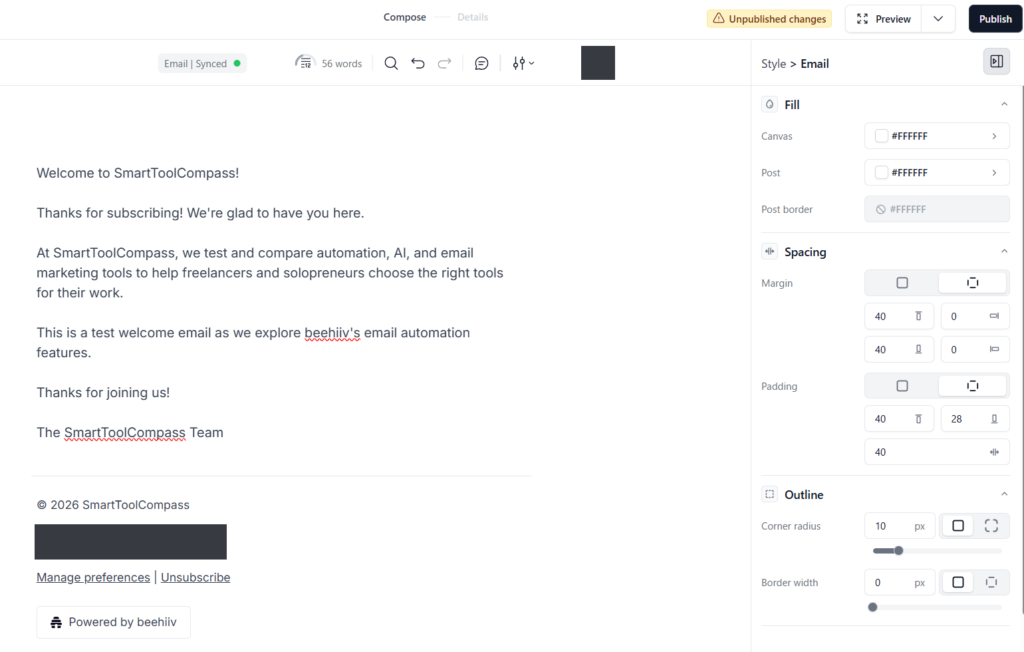
It worked. After we completed the signup, the welcome email arrived in our Gmail inbox.
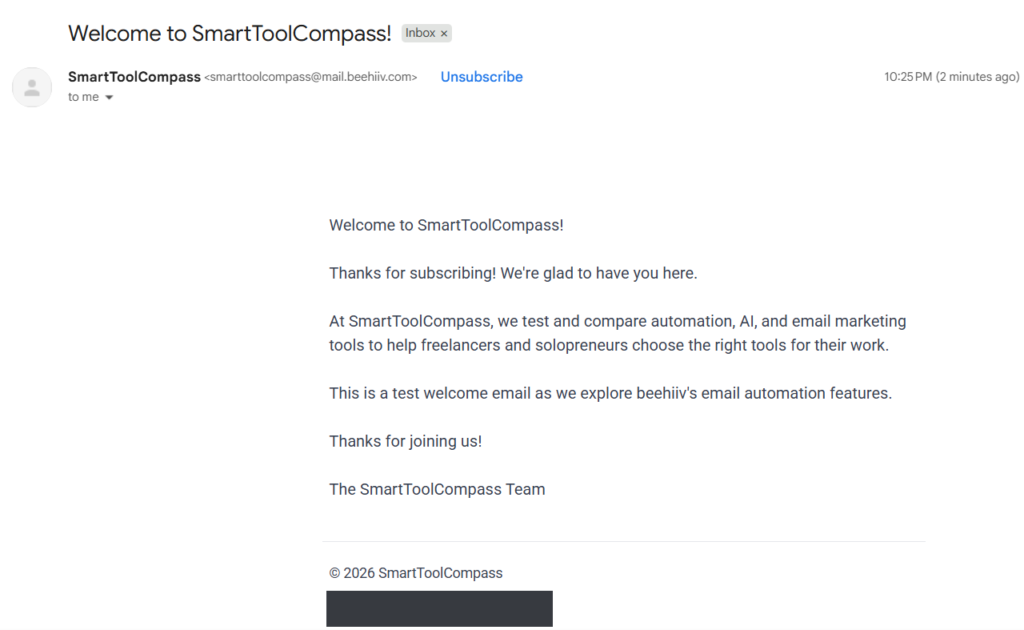
One clarification that the rest of this review depends on: this email came from the preset welcome email, not from an Automation. They are different features in beehiiv, they sit in different places in the interface, and — as the next section covers — they are available on different plans. Nothing in this review reports the behaviour of a beehiiv Automation.
Per beehiiv’s documentation the welcome email “is available on all beehiiv plans, including the free Launch plan.” We did not verify that on Launch ourselves — our test ran on the trial.
Building an Automation Workflow
In the Automations section we built a workflow with the shape most newsletters start with:
Signed up → Send email
We stopped there. We did not activate the workflow and we did not run it. This review contains no evidence about whether beehiiv Automations execute correctly, how quickly they fire, or how they behave with conditions and delays. We built the thing and looked at it.
What we can tell you is where Automations sit commercially, because beehiiv’s documentation is direct about it: “Automations are available on Scale plans and above” and they are “not included in the free Launch plan.” Our trial account showed them in the Max plan feature list alongside removing beehiiv branding and the advanced web builder.
For a freelancer, that draws a clear line. One automatic welcome email is free forever. A sequence — greeting now, something else three days later, a branch depending on what they clicked — starts at $49/mo on monthly billing.
Creating and Sending a Newsletter
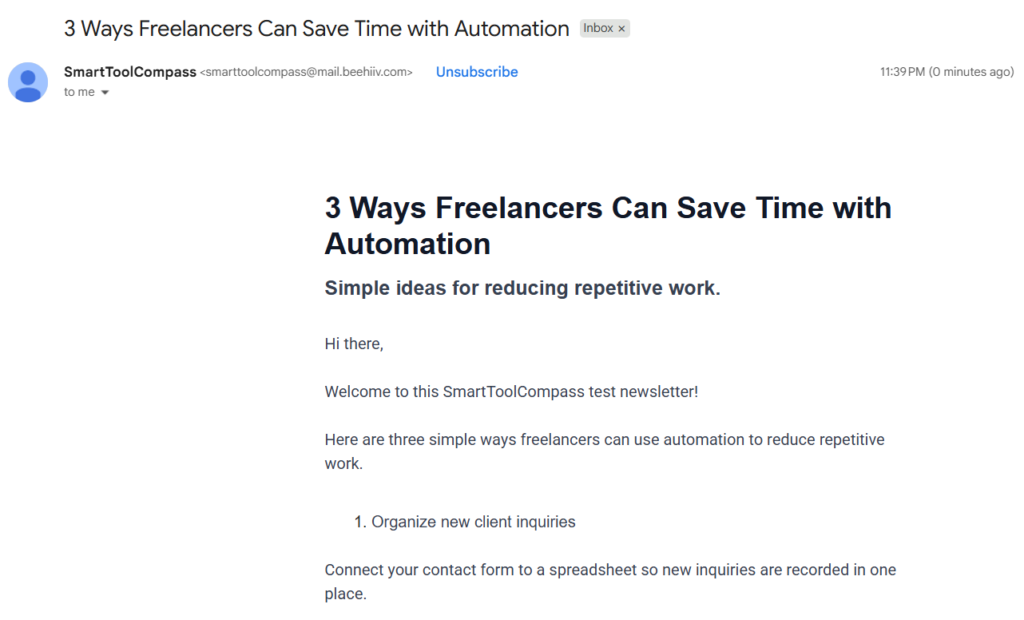
This is the job beehiiv exists to do, so we did it. We wrote one newsletter post and sent it with the Email only option to two test addresses we control. Both copies arrived in Gmail.
Writing the post and sending it were the same workflow — there was no separate step to turn a draft into a campaign, and no template to pick before we could start typing.
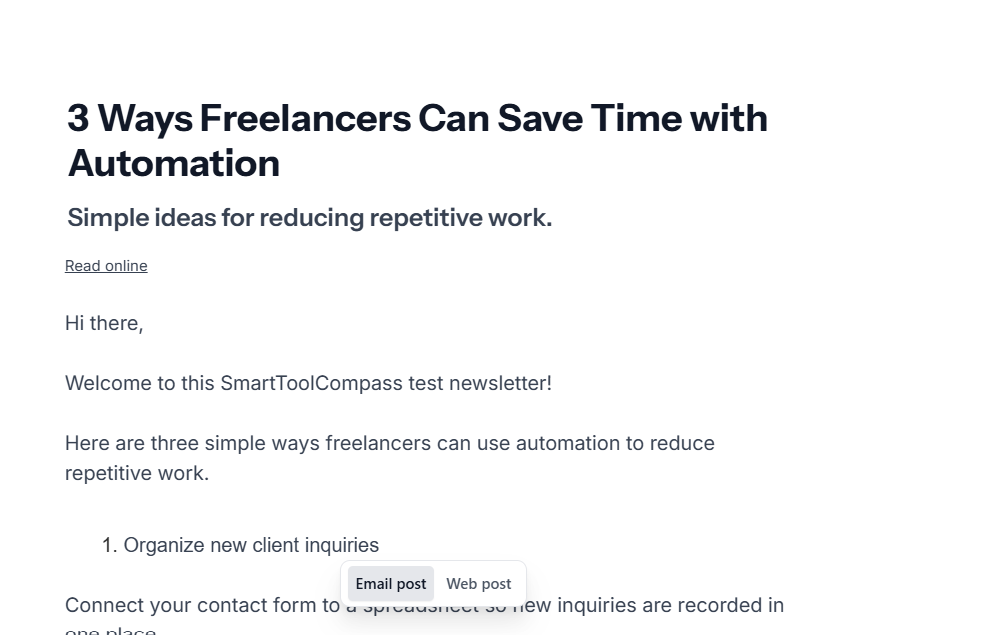
The boundary of what this shows. Two addresses is two addresses. It establishes that a post written in beehiiv reaches real inboxes as an email, and it establishes nothing about inbox placement at list scale, about performance with providers other than Gmail, or about open and click rates. We measured none of those and are not claiming them.
beehiiv Pricing and Free Plan
Pricing checked on September 22, 2026, on beehiiv’s official pricing page. The monthly figures below are monthly-billing prices; the annual figures are the yearly totals beehiiv lists beside them. beehiiv’s pricing page defaults to the annual view, where the same plans read $43/mo and $96/mo — those are the per-month equivalents of the yearly totals, not what you pay month to month.
| Plan | Starting price (up to 1,000 subscribers) | Maximum subscribers | What it adds |
|---|---|---|---|
| Launch | $0 | Up to 2,500 subscribers | Unlimited sends, custom domain, segmentation, analytics, API (excluding Send API), 3 publications |
| Scale | $49/mo, or $517/year ($43/mo equivalent) | Up to 100,000 subscribers | Automations, ad network, paid subscriptions, referral programme, A/B testing |
| Max | $109/mo, or $1,151/year ($96/mo equivalent) | Up to 100,000 subscribers | Removes beehiiv branding, Send API, 10 publications |
| Enterprise | Custom | 100,000+ subscribers | Custom terms |
Paid plan pricing increases as your active subscriber count grows. The starting prices shown above apply to up to 1,000 subscribers; at 100,000 subscribers, monthly billing costs $329 for Scale and $459 for Max.
What the free Launch plan does not include (from the same page): Automations, the ad network, paid subscriptions, the referral programme, A/B testing, and removing beehiiv branding.
Two of those are worth a freelancer’s attention before signing up. Automations, because a single welcome email is the whole of your automatic sending on Launch. And branding removal, because it is a Max feature — not Scale — so a $49/mo Scale plan still sends with beehiiv’s branding attached.
What Happens When the Trial Ends
We tested on the trial, so this is the part we most wanted to get right — and it is the part most reviews skip. Everything here is from beehiiv’s documentation, not from our test, because our trial had not ended when we wrote this.
If you do not upgrade, “your account will remain on the free Launch Plan.” Nothing is deleted. But some of what you built during the trial stops being live:
- “Any published custom pages will be unpublished. They will remain saved and editable in your builder but won’t appear on your live site.”
- “Automations linked to subscribe forms become unlinked.”
- New signup flows cannot be added, though existing ones remain active
- Premium templates become inaccessible if you switch templates
beehiiv notes those apply to accounts created on or after July 15, 2025; legacy Website Builder accounts are treated differently.
Our editorial judgment: build your trial the way you intend to run it afterwards. If you spend the fortnight assembling custom pages and a multi-step automation, you are building on features that switch off unless you pay. If you spend it doing what we did — a signup page, a welcome email, and an issue — you are testing something that mostly survives the drop to Launch.
What We Liked
- The welcome email is one switch. No trigger to select, no action to configure, nothing to point at the wrong place. It sent, and it arrived.
- Writing and sending are the same flow. We wrote a post and sent it without converting it into a separate campaign object first.
- The signup gave us a confirmed address. The confirmation code adds friction, and it also means the subscriber who came through was real.
- Nothing needed a second tool. Page, list, welcome email and send all happened inside one account.
- The free plan is not a demo (researched). 2,500 subscribers, unlimited sends, a custom domain, segmentation and analytics is a real starting tier — we did not run on it, but that is what the pricing page lists.
Where beehiiv Falls Short
- No automations on the free plan at all (researched — official). Not “one automation” — none. Your automatic sending on Launch is the single welcome email.
- Branding removal is a Max feature (researched — official). Paying $49/mo for Scale does not remove beehiiv’s branding from your newsletter; that starts at $109/mo on monthly billing.
- What you build on a trial may not stay live (researched — official). Published custom pages are unpublished on the drop to Launch, and automations linked to subscribe forms are unlinked.
- The signup needs a confirmation code. We had to enter one before our subscription completed. Whether that is worth it depends on whether you are optimising for list size or list quality.
- There is no funnel builder. beehiiv does sell digital products — files, gated links and coaching slots through a Stripe checkout on paid plans — but there is no funnel to route people through and no course hosting. That is a fit problem rather than a flaw, but it decides the tool for a lot of freelancers.
Who beehiiv Is Best For
- Freelancers whose newsletter is the product. People subscribe to read you. The tool is organised around exactly that.
- Anyone starting a list from zero. Our whole test — page, subscriber, welcome email, first issue — ran without a second service and without paying.
- Writers who want to write, not configure. The welcome email is a toggle and sending is part of drafting.
- Solo creators who will stay under 2,500 subscribers for a while (researched). That is the Launch cap, and it is a generous runway for a list that is just starting.
Who Should Skip beehiiv
- Anyone who needs an email sequence without paying. A welcome email followed by a second email three days later is a Scale feature. If that is your requirement, Launch cannot do it.
- Freelancers who want a funnel around the offer. beehiiv’s paid plans do include a Stripe-backed checkout for digital products, so selling to your list is possible — but there is no funnel builder and no course hosting. A platform built around funnels fits that job better — we tested one in our Systeme.io review, and our Systeme.io vs beehiiv comparison is the same signup flow built in both, if you are choosing between the two.
- Anyone who needs unbranded email on a modest budget. Branding removal starts at Max, not Scale.
- Anyone planning to lean on trial-only features. If your setup depends on custom pages or linked automations, the drop to Launch will take them out of service.
Is beehiiv Worth It for Freelancers?
For starting a newsletter, the free tier is worth the time it takes to try. Everything we actually did — publish a signup page, capture a confirmed subscriber, send an automatic welcome email, write and deliver an issue — maps onto features that beehiiv documents as available on Launch. We tested on the trial, so treat that mapping as the documentation’s claim rather than ours; but it is the vendor’s own claim, stated plainly.
Whether the paid tier is worth it comes down to one question: is your second automatic email a real requirement or a nice-to-have? If it is real, Scale at $49/mo on monthly billing is the price of entry, and you should decide that before you invest a fortnight of trial in workflows that will unlink.
Final Verdict
beehiiv did what we asked of it. A public signup page produced a confirmed, Active subscriber; a welcome email set with one toggle reached Gmail; a newsletter we wrote in the editor arrived in two inboxes. One account, no second tool, no payment.
The limits that matter are not the ones on the pricing page’s headline. They are the shape of the free tier: one automatic email, forever free — and nothing beyond it until $49/mo. For a freelancer whose newsletter is the product and whose automation needs stop at “greet the new subscriber,” that is a sound place to start. For anyone who needs a sequence, a funnel, or unbranded sending, the decision is really about which paid tier you are willing to reach for.
What we would not do is judge it on the trial. The trial is Max; the plan you land on is Launch. Build for the second one.
FAQ
Is beehiiv free?
There is a free plan called Launch. beehiiv’s pricing page lists it at $0 with up to 2,500 subscribers, unlimited sends, a custom domain, segmentation and analytics. New accounts also start on a trial of a paid plan; ours was Max.
Does the free plan include automations?
No. beehiiv’s documentation places Automations on “Scale plans and above” and states they are not included in the free Launch plan. The welcome email is a separate feature and is documented as available on all plans, Launch included.
Did you test beehiiv’s automations?
We built a “Signed up → Send email” workflow but did not activate or execute it. The welcome email we received came from the preset welcome email, which is a different feature. This review makes no claim about how beehiiv Automations run.
What happens when the beehiiv trial ends?
Per beehiiv’s documentation, an account that does not upgrade remains on the free Launch plan. Content is kept, but published custom pages are unpublished, automations linked to subscribe forms are unlinked, and new signup flows cannot be added. Those terms apply to accounts created on or after July 15, 2025.
Does beehiiv put its branding on your emails?
Removing beehiiv branding is listed as a Max feature on the pricing page — it is not included on Launch or on Scale. On monthly billing that is $109/mo.
How many people did you send the test newsletter to?
Two addresses we control, both of which received it in Gmail. That is enough to show a post reaches real inboxes as an email, and not enough to say anything about deliverability at volume.
Is beehiiv good for selling a course or service?
Partly, and this is worth stating precisely. beehiiv’s Digital Products feature sells files and downloads, gated links, and coaching or consultation slots through a Stripe checkout, and beehiiv documents it as taking 0% commission on those sales (you still pay Stripe’s processing fee). beehiiv’s help centre puts the feature on “paid beehiiv plans for publications using the Website Builder,” with coaching and 1:1 products restricted to “Max and Enterprise plans.” What beehiiv does not have is a funnel builder or course hosting. Paid subscriptions to the newsletter itself are a separate model, available on Scale and above. Everything in this answer comes from beehiiv’s documentation rather than from our own test.
Sources & Verification
Hands-on test: a SmartToolCompass beehiiv account on the 14-day Max trial, September 2026. No paid subscription at any point. The account displayed “Your free trial expires in 13 days” during the test. Tested: signup page, subscription with a confirmation code, subscriber status, preset welcome email, automation workflow creation (not activated), and one newsletter sent to two test addresses.
Official sources (checked September 22, 2026):
- beehiiv pricing page — plan prices, the 2,500-subscriber Launch cap, and which features each tier includes
- beehiiv Help: Welcome email vs. welcome automation — “available on all beehiiv plans, including the free Launch plan” and “Automations are available on Scale plans and above”
- beehiiv Help: What’s included in the trial — “Trial accounts are also subject to the respective limits of the Launch plan” and what happens when the trial ends
- beehiiv Help: Changing your plan — what a downgrade to Launch unpublishes and unlinks
- beehiiv Help: Creating digital products — Digital Products are “available on paid beehiiv plans for publications using the Website Builder,” with coaching on “Max and Enterprise plans”
Not verified by us: the free Launch plan itself (our test ran on the Max trial), beehiiv Automations in execution, deliverability beyond two Gmail addresses, segmentation, analytics, monetisation features including Digital Products and its checkout, and the behaviour of an account after its trial expires.


Comments